About this tutorial
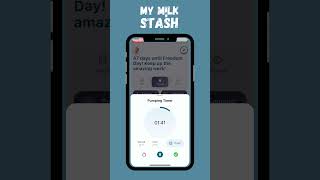
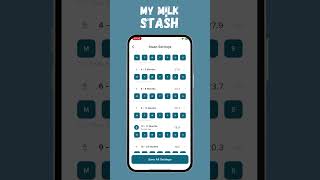
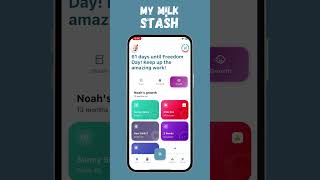
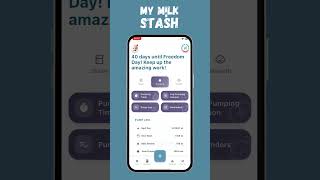
Learn how to manage your breast milk stash in My Milk Stash. This tutorial covers adding storage locations, logging bags, moving bags between storages, splitting bags, and seeing your Freedom Number™ — the exact number of days of food your baby has banked.
Step-by-Step Guide
- 1
Add a Storage Location
0:03Create a new storage location in My Milk Stash (e.g., kitchen freezer, deep freezer, grandma's house).
- 2
Add Bags to a Storage
0:15Log bags of frozen breast milk into a storage location with volume, date frozen, and any notes.
- 3
Move Bags Between Storages
0:30Reorganize your stash by moving bags from one storage location to another — e.g., from fridge freezer to deep freezer.
- 4
Split a Bag
0:48Split a bag into smaller portions when you only need part of it, keeping your inventory accurate.
- 5
Check Your Freedom Number™
1:02View your Freedom Number — the exact number of days of food you have banked based on your stash volume and your baby's daily intake.
- 6
Review Your Stash Overview
1:15See total volume across all storages, expiration alerts, and FIFO rotation guidance to use the oldest milk first.
Take Control of Your Breast Milk Freezer Stash
Pumping is hard work, and every ounce of breast milk is valuable. But without a system, your freezer can quickly turn into a jumble of bags with unclear dates and mystery volumes. That chaos often leads to stress and, worse, wasted milk.
My Milk Stash turns your phone into a complete breast milk inventory manager so you always know exactly what you have, where it is, and when it should be used.
Why Freezer Stash Management Matters
A growing freezer stash is reassuring—until it becomes unmanageable. Common problems include:
- Bags getting buried and forgotten
- Dates rubbing off or becoming unreadable
- Milk expiring before you realize it’s there
- Not knowing how much usable milk you actually have
A well-managed stash means:
- Less waste
- Less mental load
- More confidence that your baby is getting safely stored milk
My Milk Stash is designed to solve these exact problems by giving you a clear, organized view of your entire freezer inventory.
What My Milk Stash Tracks for Every Bag
Each time you freeze a bag of milk, you can log it in My Milk Stash in just a few taps. The app records all the important details:
- Volume – Record how much milk is in the bag in either milliliters (ml) or ounces (oz).
- Date frozen – Log the date the milk went into the freezer so you always know how old it is.
- Storage location – Choose where the bag is stored, such as:
- Fridge freezer
- Separate door deep freezer
- Chest or upright deep freezer
- Or a custom, named location (e.g., “Garage deep freezer,” “Grandma’s house”).
- Expiration date – Automatically calculated for you based on CDC and Academy of Breastfeeding Medicine (ABM) guidelines.
- Status – Track whether a bag is:
- Frozen
- Thawed
- Used
All of this information is searchable and filterable, so you can quickly find the exact bag you need.
Built-In Breast Milk Storage Guidelines
You don’t have to memorize storage rules—My Milk Stash does it for you. When you select a storage location, the app applies the appropriate guideline to calculate an expiration date.
How to Manage Your Milk Stash in My Milk Stash
Your frozen breast milk stash is your backup plan and your peace of mind. My Milk Stash helps you organize, move, and track every single bag across all your freezers so your inventory is always accurate and your Freedom Number™ is truly reliable.
Adding Storages
Most moms use more than one place to store milk: a kitchen freezer, a deep freezer, a work fridge, or even a freezer at a caregiver’s house. My Milk Stash lets you mirror this real-life setup by creating multiple storages.
How it works:
- Open Storages in the app.
- Add a new storage for each physical location (e.g., “Kitchen Freezer,” “Garage Deep Freezer,” “Work Fridge,” “Grandma’s Freezer”).
- Each storage keeps its own bag count and total volume.
This way, you always know not just how much milk you have, but where it is.
Moving Bags Between Storages
When you move milk in real life (for example, from your kitchen freezer to a deep freezer), update it in My Milk Stash so your digital stash stays in sync.
To move bags:
- Select the bags you’re physically moving.
- Choose the destination storage in the app.
- Confirm the transfer.
The app updates the locations of those bags, but your total stash volume and Freedom Number™ stay the same, because no milk was used—only relocated.